 StorageManager by Deskery
A utility for Windows 10 and 11
See what's taking up space.
StorageManager measures your folders, finds large files and helps you clear out what you no longer need. You see what will be removed before you confirm.
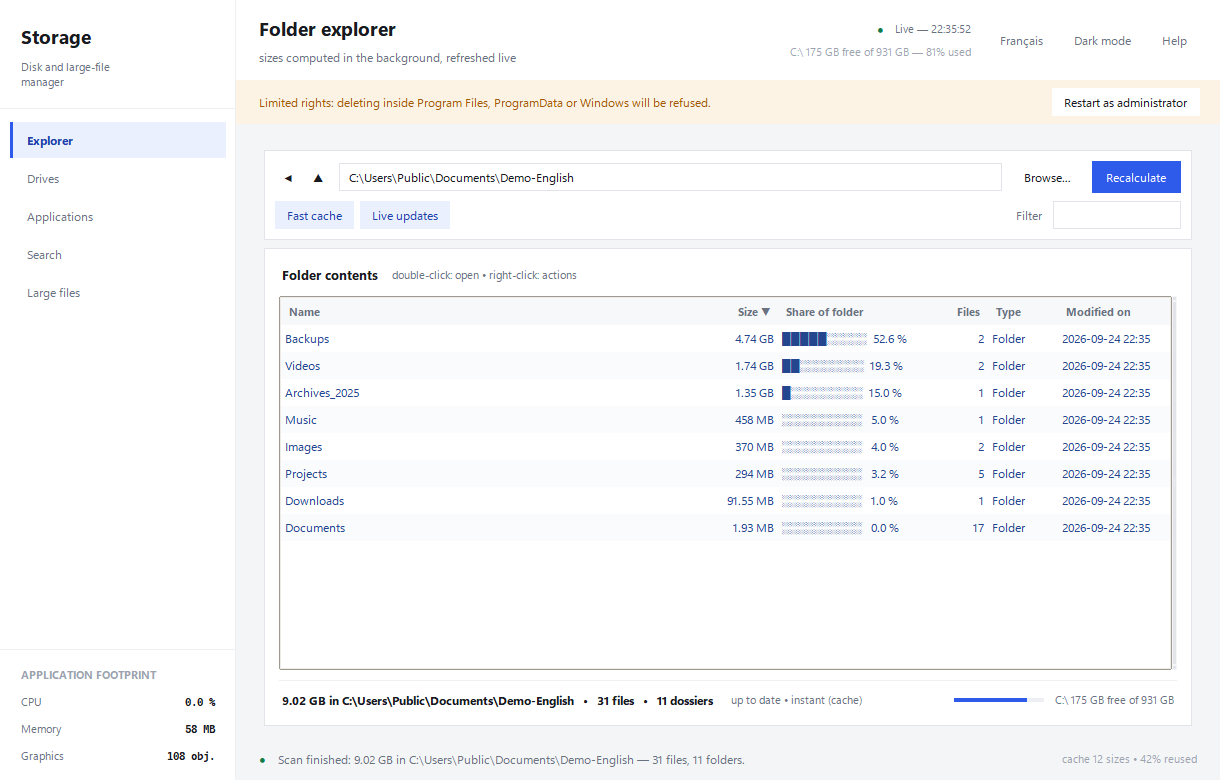
Clear some space
Folders, files, applications.
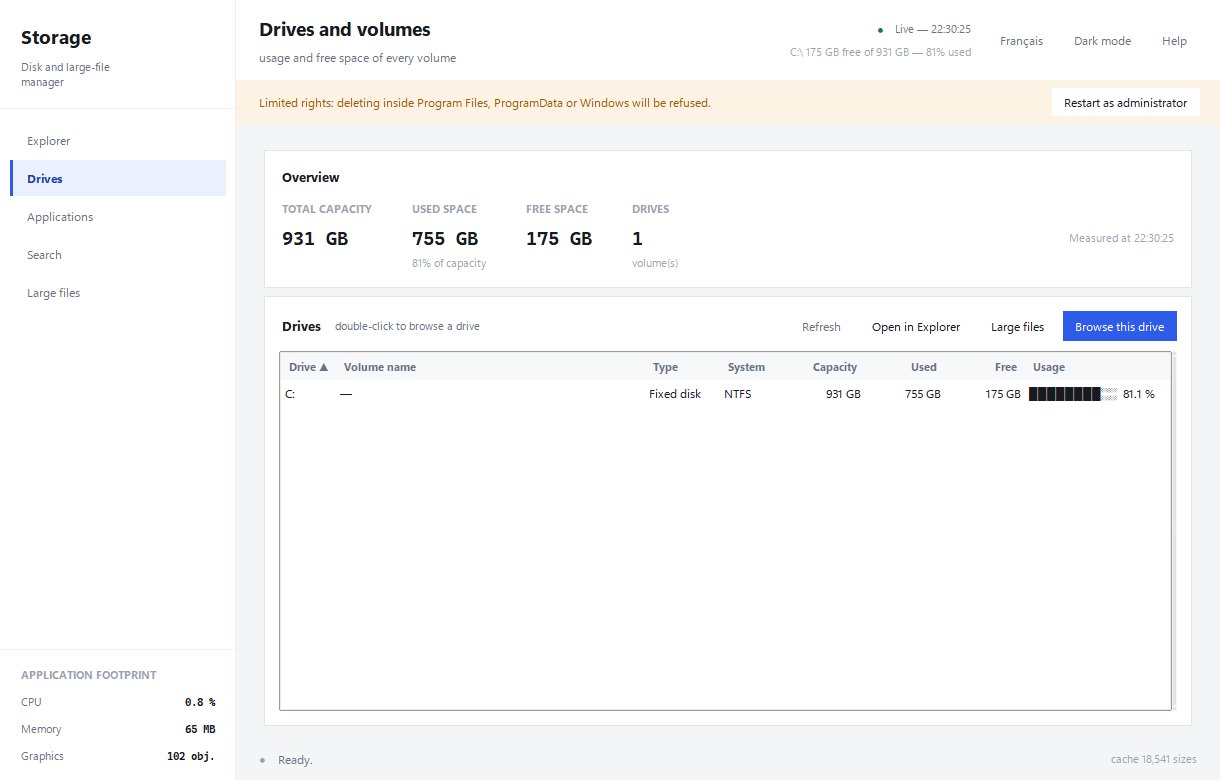
Folder sizes, free space on each drive, file search and installed applications are available in the same window.
Sizes that stay up to date
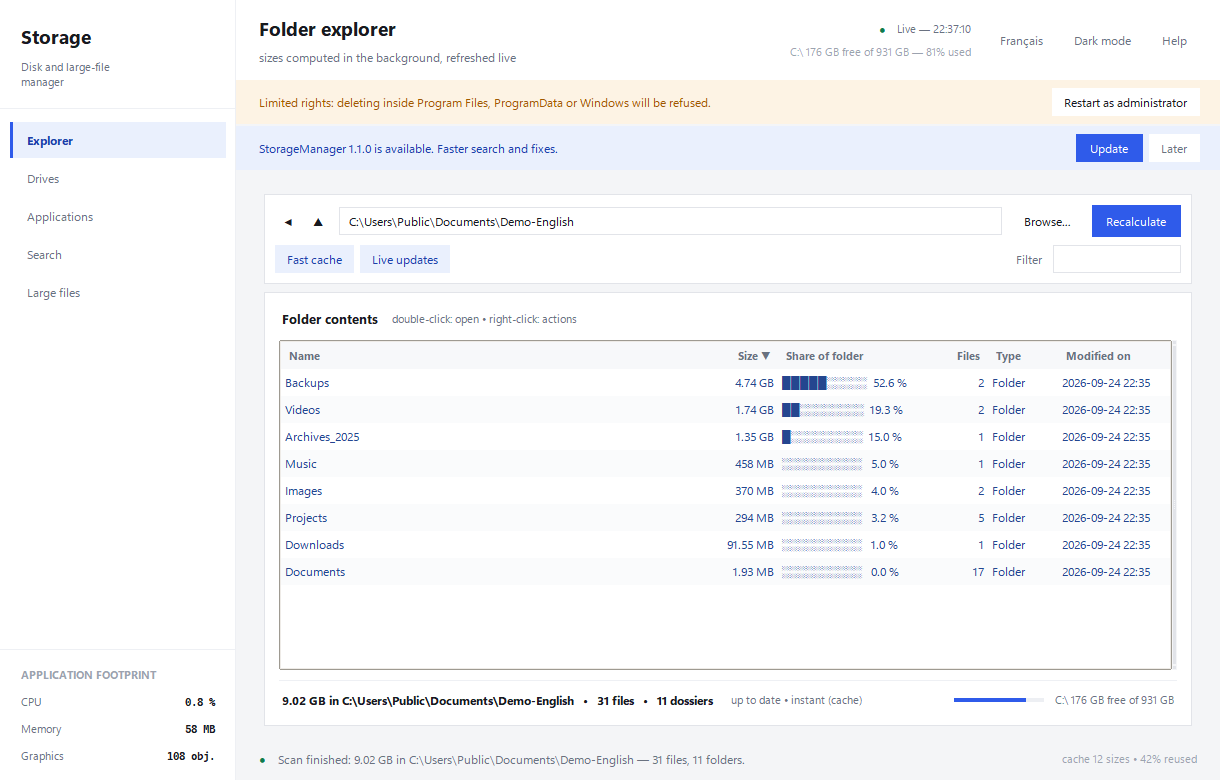
Browse your folders and see how much space they use. Analysis continues in the background without blocking navigation.
The file you need
Search by name or extension after local indexing. Results appear as you type.
You stay in control
Files go to the Recycle Bin by default. Permanent deletion always requires explicit confirmation.
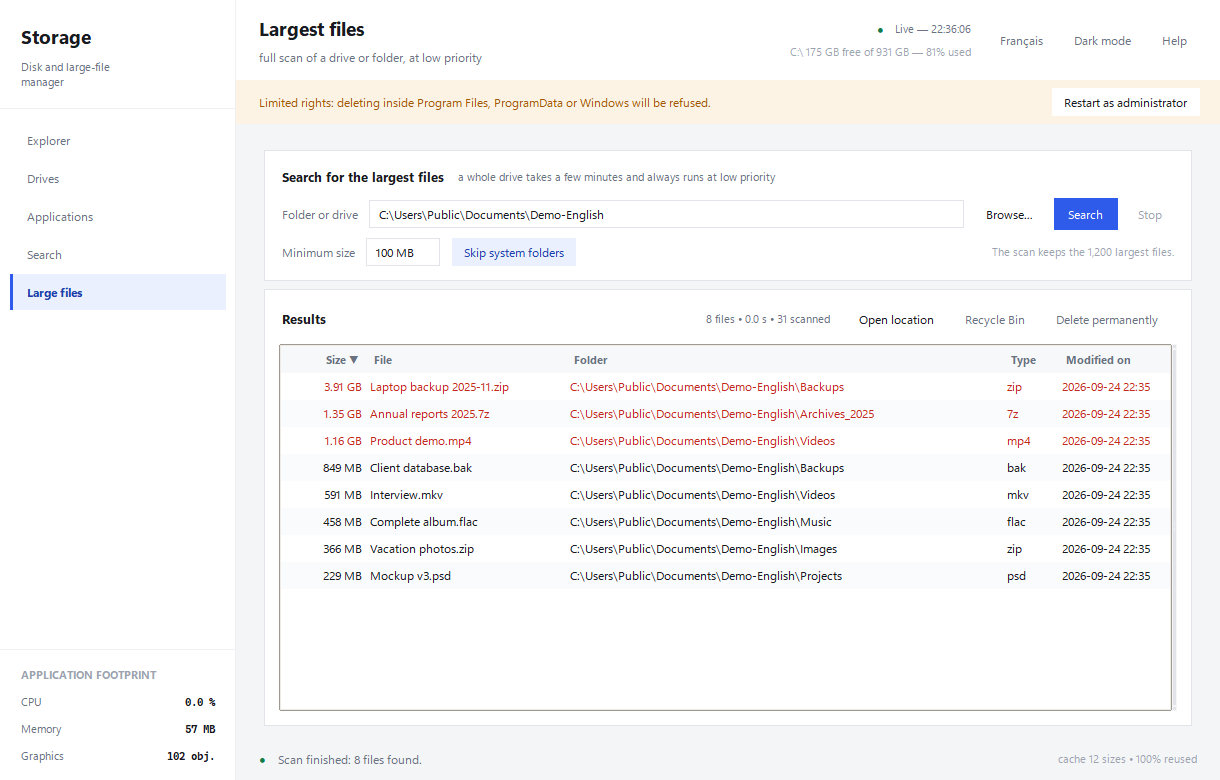
Disk space
Find the large files.
Scan a drive or folder, set a minimum size and see which files use the most space. The Drives screen also shows the free space on every volume.
- Sort by size and location
- Adjustable minimum size
- Drive usage refreshed every 3 seconds
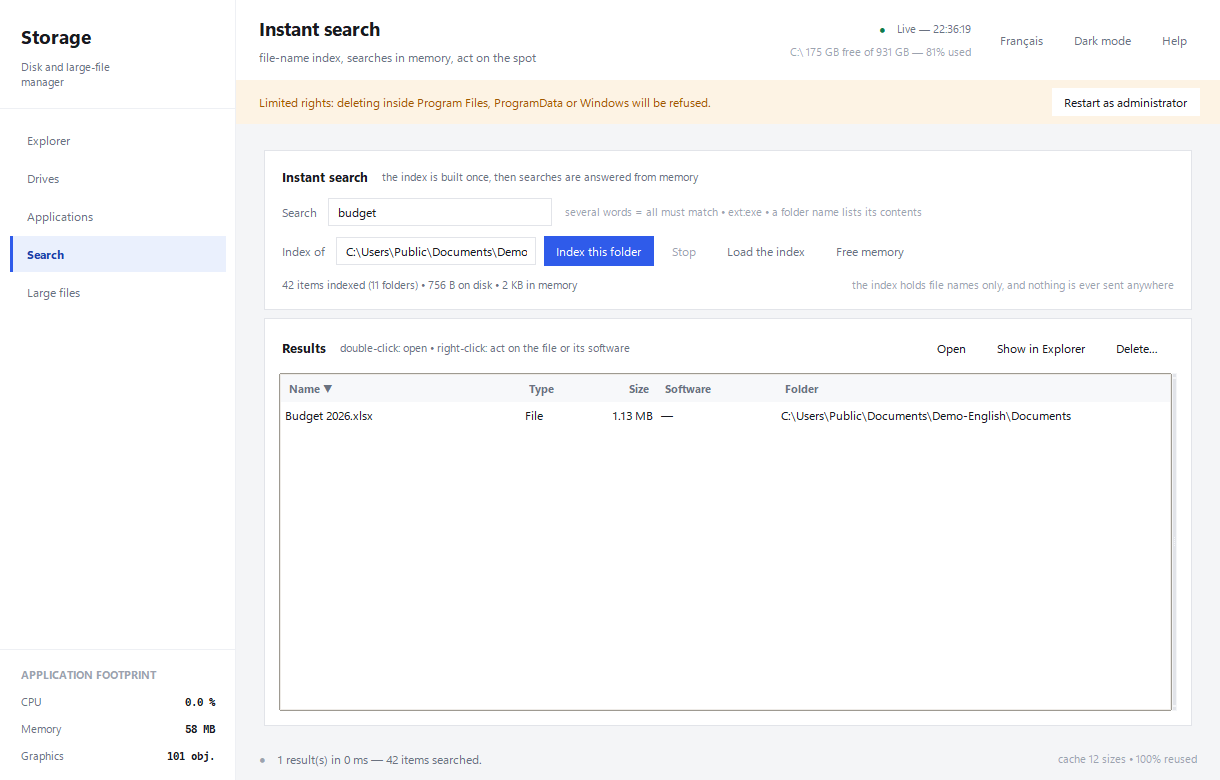
Local search
Find a file without digging.
A folder is indexed once, then search responds as you type. Use ext:pdf to search by extension, open a result or show its location.
- The index contains file names, never file contents
- Accents do not get in the way
- The index stays on your computer
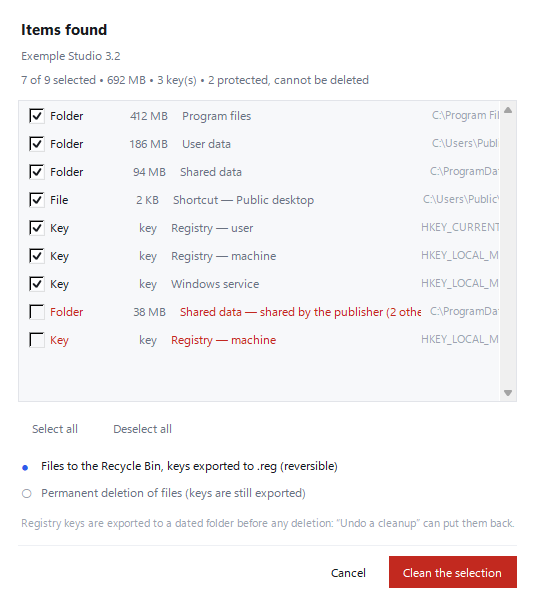
Applications
See what's left before removing it.
StorageManager measures the size of installed applications and runs their official uninstallers. For deeper cleanup, it lists the remaining folders and registry keys before taking action.
- Items shared with Windows or another application are protected
- Registry keys are backed up before removal
- Files go to the Recycle Bin
Live monitoring
Visible folder sizes are checked automatically. A button pauses disk reads whenever you want.
Two themes
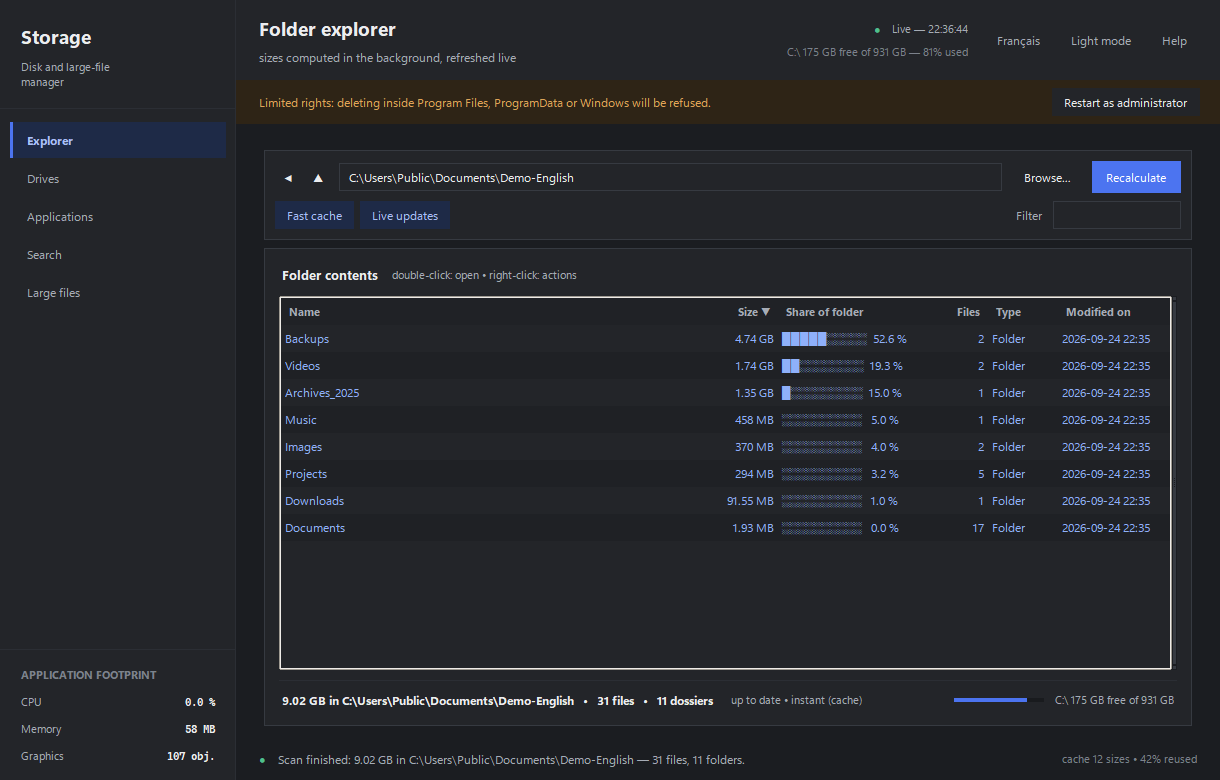
Switch between light and dark without restarting. The application remembers your choice.
Built-in updates
A notice appears when a new version is available. Downloads are verified before installation, and update checks can be turned off.
Measurements from version 1.0.0
Lightweight, with numbers to show it.
These readings come from the installed application on a Windows 11 PC with an NVMe SSD. You can repeat the test using the command in the Readme file.
Measured on 24 September 2026 on an 8-core, 16-thread PC. The window appears in 0.2 to 0.3 seconds; folder sizes follow in the background. The update check makes at most one request per day and can be disabled. No telemetry or advertising.
Actual screenshots
See the application as it is.
These captures show the English interface with sample files. The update notice is an example; the last screenshot uses the dark theme.
A purchase, not a subscription
€2.99, once.
The license does not expire. Use StorageManager on computers you own, with all published updates included.
Windows 10 or 11, 64-bit. About 30 MB of disk space after installation. No administrator rights needed to install.
- All features included
- Perpetual license
- One-click updates
- No account or telemetry
- 14 days to change your mind
Card payment through SumUp. Download after payment.
Before you buy
Common questions
How will I get the software?
The download button appears as soon as payment is accepted. The same personal link and your numbered receipt are sent to the email address you provide at checkout.
What does the license include?
You pay once and can use the software without a time limit on computers you own. Published updates are included. The license does not promise new releases or compatibility with every future version of Windows.
Windows says “Unknown publisher”. Is that normal?
Yes. The installer does not have a commercial code-signing certificate, so Windows may display a warning. Choose “More info” and then “Run anyway” if you want to proceed. Updates delivered through the application are signed and verified.
Are my files sent anywhere?
No. Search indexes and cleanup backups stay on your computer. The application only checks for updates at most once a day, and you can turn that check off. See the privacy policy for details.
Can I cancel my purchase?
Yes. You have 14 days from purchase to request a refund, even after downloading. Email info@storagemanager.shop. The details are in the terms of sale.
Have a question or a problem?
Email info@storagemanager.shop and describe what happened. We will reply by email.